> ## Documentation Index
> Fetch the complete documentation index at: https://mooncamp.com/docs/llms.txt
> Use this file to discover all available pages before exploring further.
# Goal and OKR rules
> An overview of Mooncamp's customizable rule system for Goals and OKRs
### What are **Goal and OKR rules?**
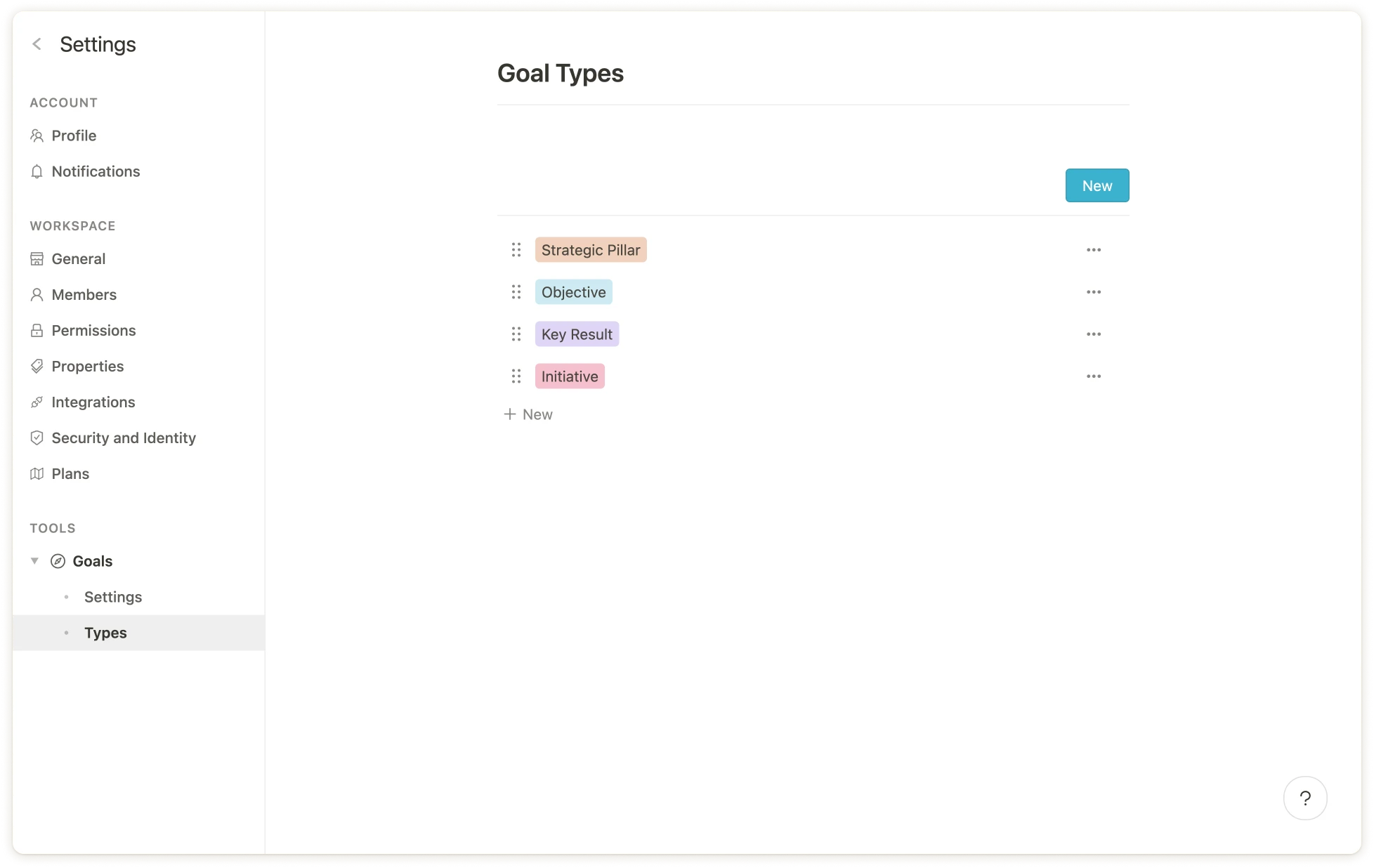
Under *Settings > Goals > Types,* you will find all created goal types in your OKR or goal management system, such as `Objective`, `Key Result` or `Initiative`.
For each of these goal types you can define specific *rules,* e.g. that `Key Results` may only be aligned to `Objectives`, or that all `Key Results` must have an `Owner`.
 The following rules can be set individually per goal type:
* **Setting up the goal hierarchy**: To which goal types may the respective goal type be aligned?
* **Visibility** of properties on the goal type (e.g. all description fields can be hidden if they are empty).
* Specifying allowed **progress measurement types** (Professional and Enterprise Plan)
* Defining **required fields** (Professional and Enterprise Plan)
Details about the specific settings can be found further down in the article.
### Why use Goal and OKR rules?
Rules allow you to completely customize your organization's goal system according to your needs. Among other things, this provides the following benefits:
**1. Setting up your customized goals hierarchy**
With the flexible rule system you can decide yourself how the hierarchy of your goals and OKRs should be structured. As an example, the following rules may be applied:
* Goals of type `Company Objective` may only contribute to `Strategic Pillars`
* `Strategic Pillars` may not be aligned to other goal types (i.e. they are always at the top)
* Goals of type `Team Objective` may only be aligned to `Company Objectives`
* `Key Results` may only be aligned to `Company Objectives` or `Team Objectives`
* `Initiatives` may only be aligned to `Team Objectives` or `Key Results`
**2. Avoid chaos in your goal system**
Rules for hierarchical structure provide guardrails for all employees so that the goal system naturally follows the given structure. Incorrectly aligned goals are also highlighted so that they can be adjusted accordingly.
**3. Ensure correct data entry**
Especially when many teams are working in Mooncamp, it increases the likelihood of "human error" when entering data. Therefore, properties of a goal type, such as `Owner` or `Team`, can be marked as required fields.
### Configuration of the goal hierarchy
Under *Settings > Goals > Types,* all goal types are listed. If, for example, you want to create a rule for the goal type `Key Result` that it can only be aligned to `Objectives`, then first click on the relevant goal type.
A window opens in which all goal properties are listed. Now click on `Parent Alignment`.
The following rules can be set individually per goal type:
* **Setting up the goal hierarchy**: To which goal types may the respective goal type be aligned?
* **Visibility** of properties on the goal type (e.g. all description fields can be hidden if they are empty).
* Specifying allowed **progress measurement types** (Professional and Enterprise Plan)
* Defining **required fields** (Professional and Enterprise Plan)
Details about the specific settings can be found further down in the article.
### Why use Goal and OKR rules?
Rules allow you to completely customize your organization's goal system according to your needs. Among other things, this provides the following benefits:
**1. Setting up your customized goals hierarchy**
With the flexible rule system you can decide yourself how the hierarchy of your goals and OKRs should be structured. As an example, the following rules may be applied:
* Goals of type `Company Objective` may only contribute to `Strategic Pillars`
* `Strategic Pillars` may not be aligned to other goal types (i.e. they are always at the top)
* Goals of type `Team Objective` may only be aligned to `Company Objectives`
* `Key Results` may only be aligned to `Company Objectives` or `Team Objectives`
* `Initiatives` may only be aligned to `Team Objectives` or `Key Results`
**2. Avoid chaos in your goal system**
Rules for hierarchical structure provide guardrails for all employees so that the goal system naturally follows the given structure. Incorrectly aligned goals are also highlighted so that they can be adjusted accordingly.
**3. Ensure correct data entry**
Especially when many teams are working in Mooncamp, it increases the likelihood of "human error" when entering data. Therefore, properties of a goal type, such as `Owner` or `Team`, can be marked as required fields.
### Configuration of the goal hierarchy
Under *Settings > Goals > Types,* all goal types are listed. If, for example, you want to create a rule for the goal type `Key Result` that it can only be aligned to `Objectives`, then first click on the relevant goal type.
A window opens in which all goal properties are listed. Now click on `Parent Alignment`.
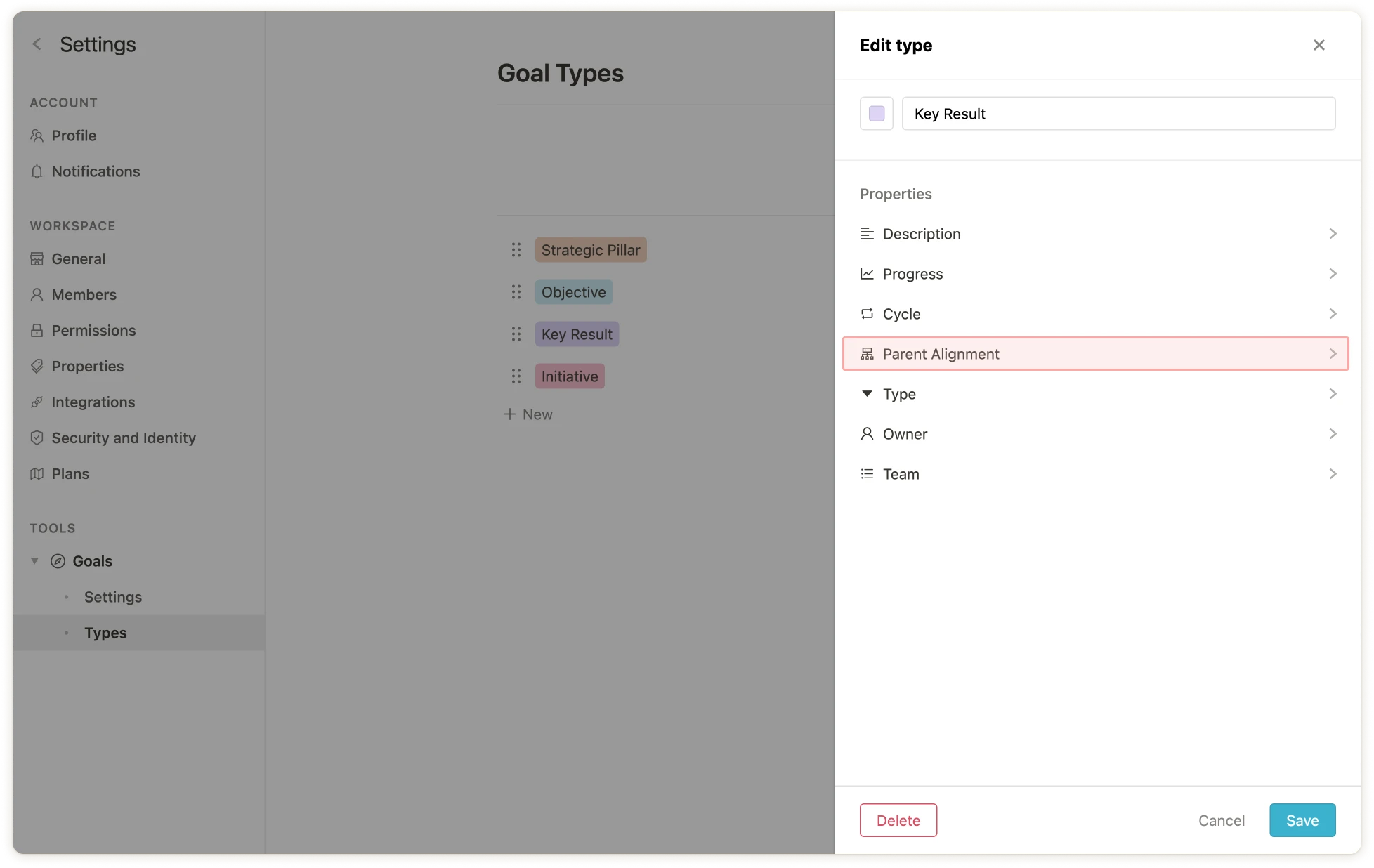 The settings for the `Parent Alignment` property of the goal type `Key Result` will open. Under the item `Can be child of`, the goal type `Objective` can now be selected, all other goal types should be deselected.
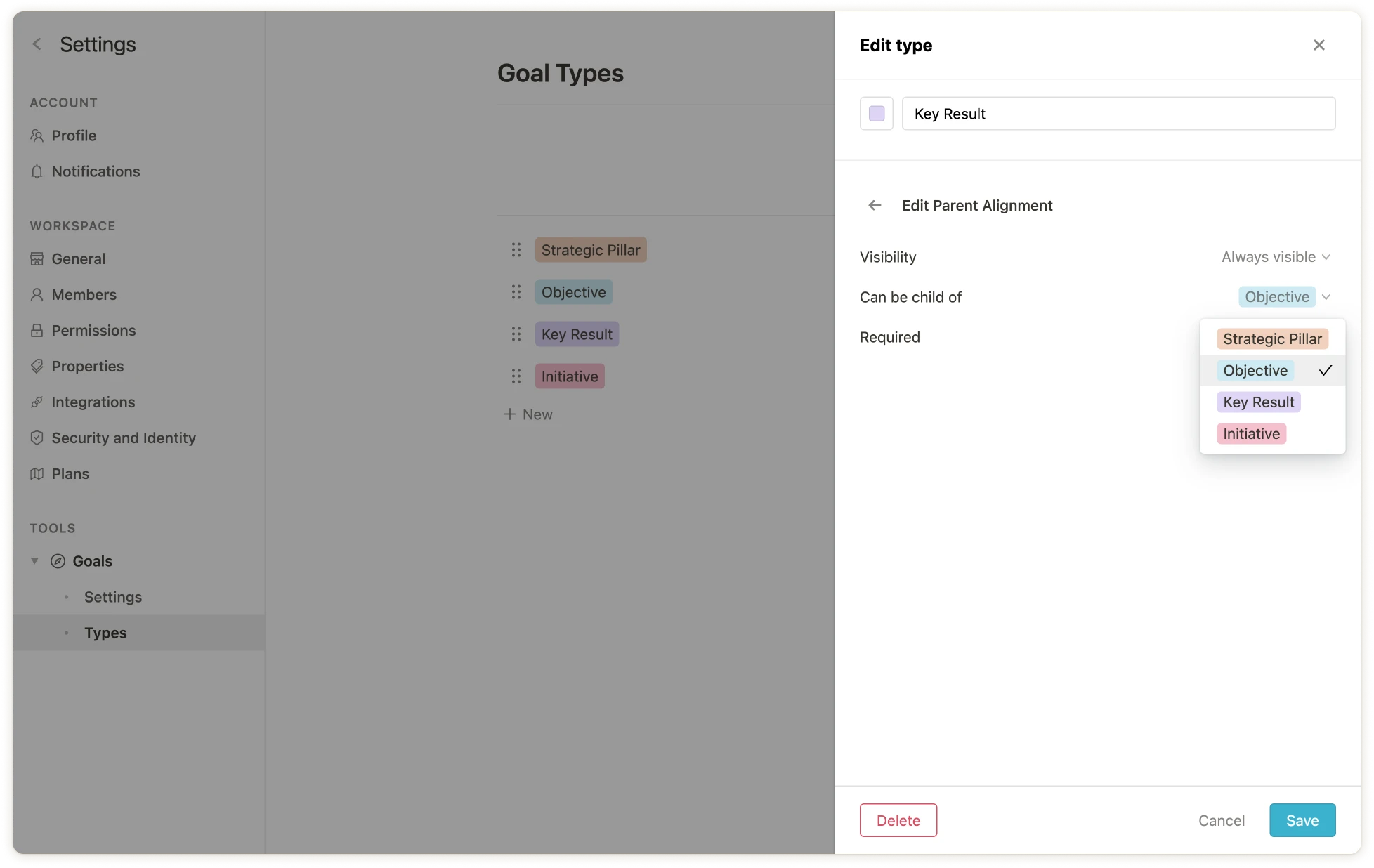 Et voilà - `Key Results` can now only be aligned to `Objectives`.
💡 Existing or newly created goals that do not follow this rule will be flagged with warnings (`!`) from now on. Furthermore, only allowed goal types will be available for selection when creating subgoals.
### Set allowed progress measurement types per goal type
It may make sense to adjust the progress measurement types depending on the goal type. Typical use cases are, for example:
* `Strategic Pillars` should not have a measurement type (`None`), so there should be no progress measure associated with the goal type
* `Objectives` should have only `Aggregation` as a measurement type
* `Key Results` may have any measurement type except `Open/Done`
* `Initiatives` can only have the measurement type `Open/Done`
To configure the allowed measurement types, click on the relevant goal type and then on `Progress`. Under the item `Measurement`, the allowed measurement types can be selected.
Et voilà - `Key Results` can now only be aligned to `Objectives`.
💡 Existing or newly created goals that do not follow this rule will be flagged with warnings (`!`) from now on. Furthermore, only allowed goal types will be available for selection when creating subgoals.
### Set allowed progress measurement types per goal type
It may make sense to adjust the progress measurement types depending on the goal type. Typical use cases are, for example:
* `Strategic Pillars` should not have a measurement type (`None`), so there should be no progress measure associated with the goal type
* `Objectives` should have only `Aggregation` as a measurement type
* `Key Results` may have any measurement type except `Open/Done`
* `Initiatives` can only have the measurement type `Open/Done`
To configure the allowed measurement types, click on the relevant goal type and then on `Progress`. Under the item `Measurement`, the allowed measurement types can be selected.
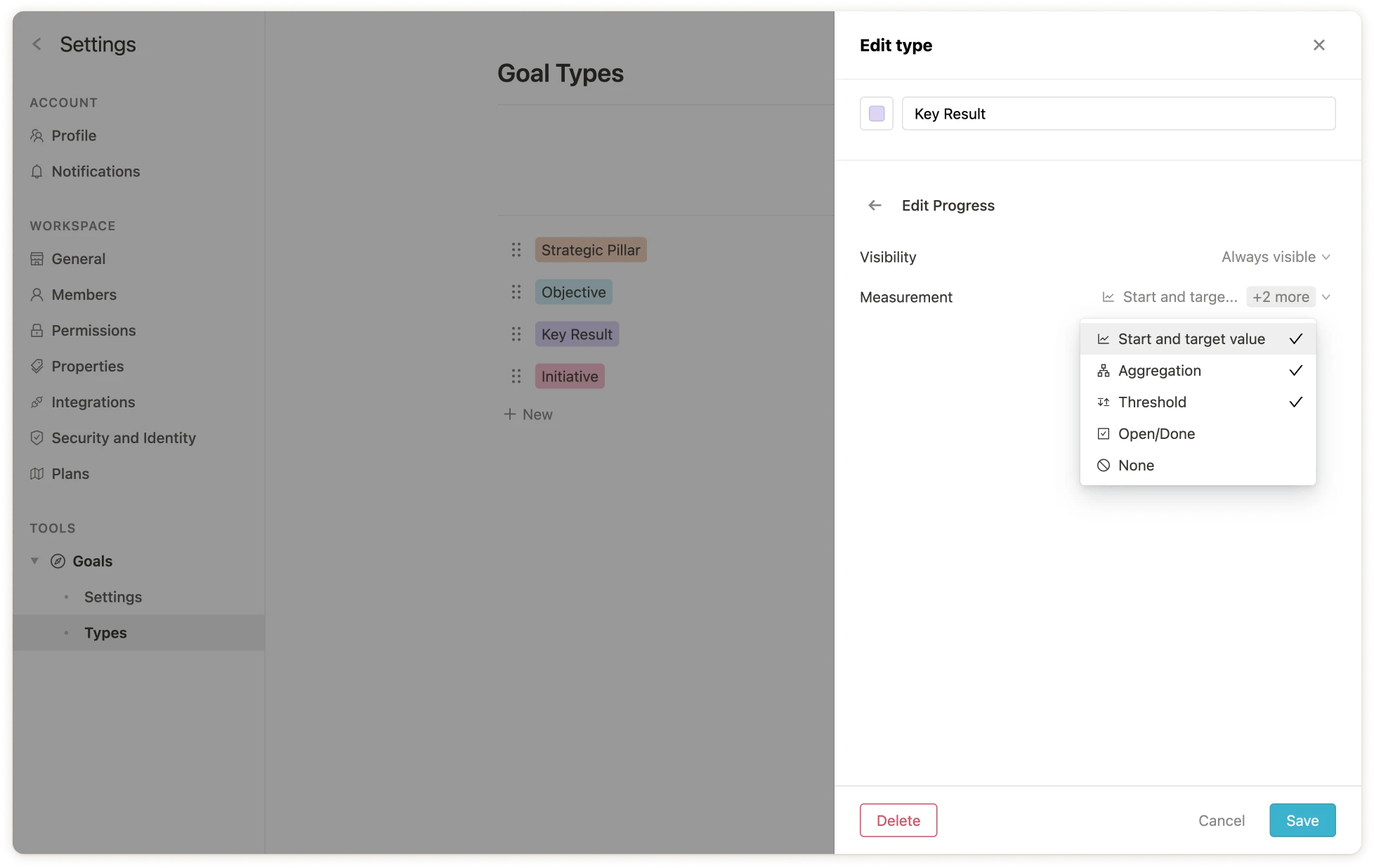 💡 **Note**: Specifying progress measurement types is only available in Mooncamp's `Pro` or `Enterprise Plan`. [Contact our sales team to learn more](mailto:sales@mooncamp.com)
### Marking properties as required fields
In the `Enterprise Plan` you can mark properties as required fields *for each goal type*. If, for example, `Key Results` should always have an `Owner`, then click on the goal type `Key Results` in the list, select `Owner` and mark this as a required field.
💡 **Note**: Specifying progress measurement types is only available in Mooncamp's `Pro` or `Enterprise Plan`. [Contact our sales team to learn more](mailto:sales@mooncamp.com)
### Marking properties as required fields
In the `Enterprise Plan` you can mark properties as required fields *for each goal type*. If, for example, `Key Results` should always have an `Owner`, then click on the goal type `Key Results` in the list, select `Owner` and mark this as a required field.
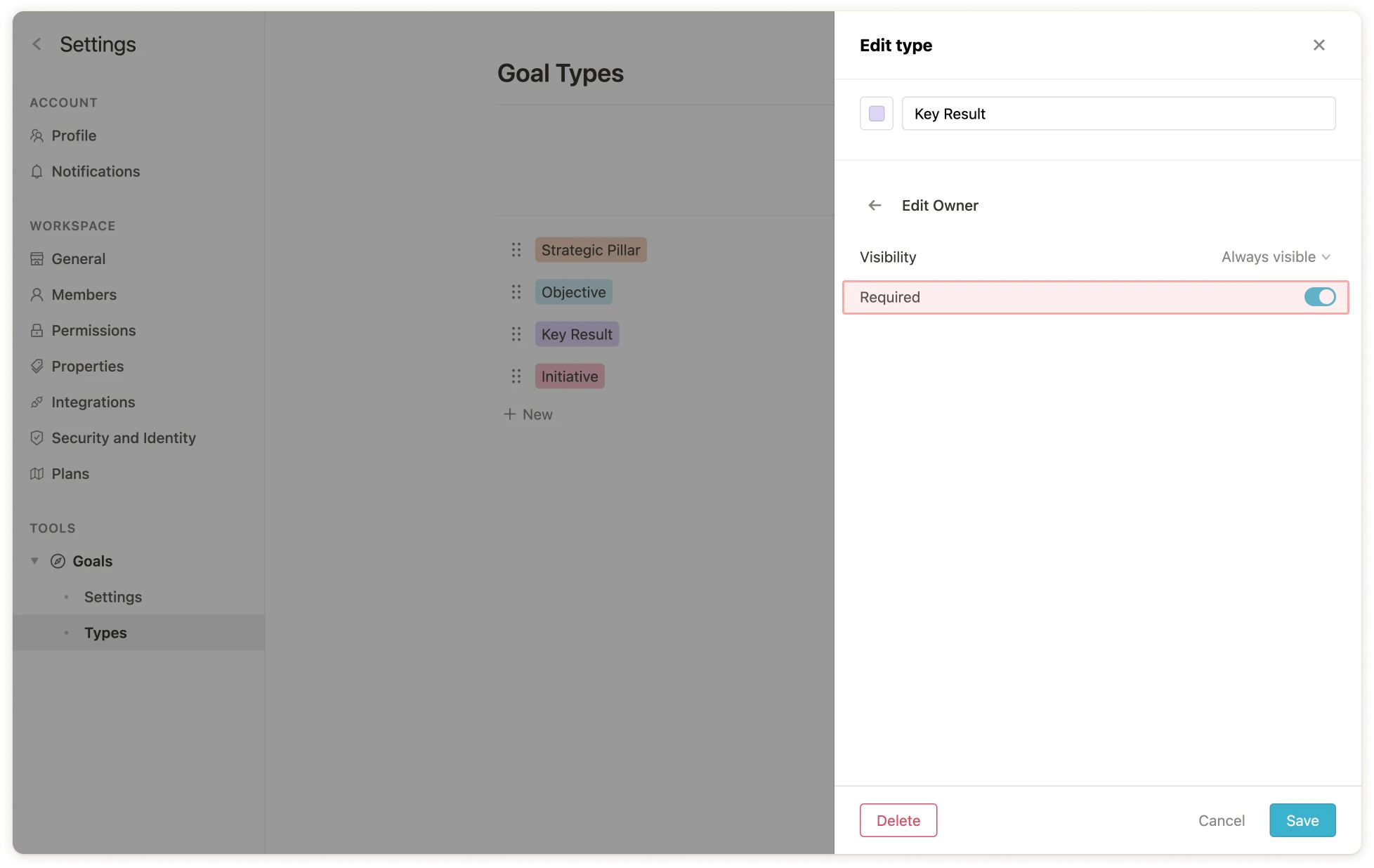 Existing or newly created goals that do not follow this rule are now marked with warnings.
💡
**Note**: Required fields are only available in Mooncamp's `Pro` or `Enterprise Plan`. [Contact our sales team to learn more](mailto:sales@mooncamp.com)
### Fixing issues
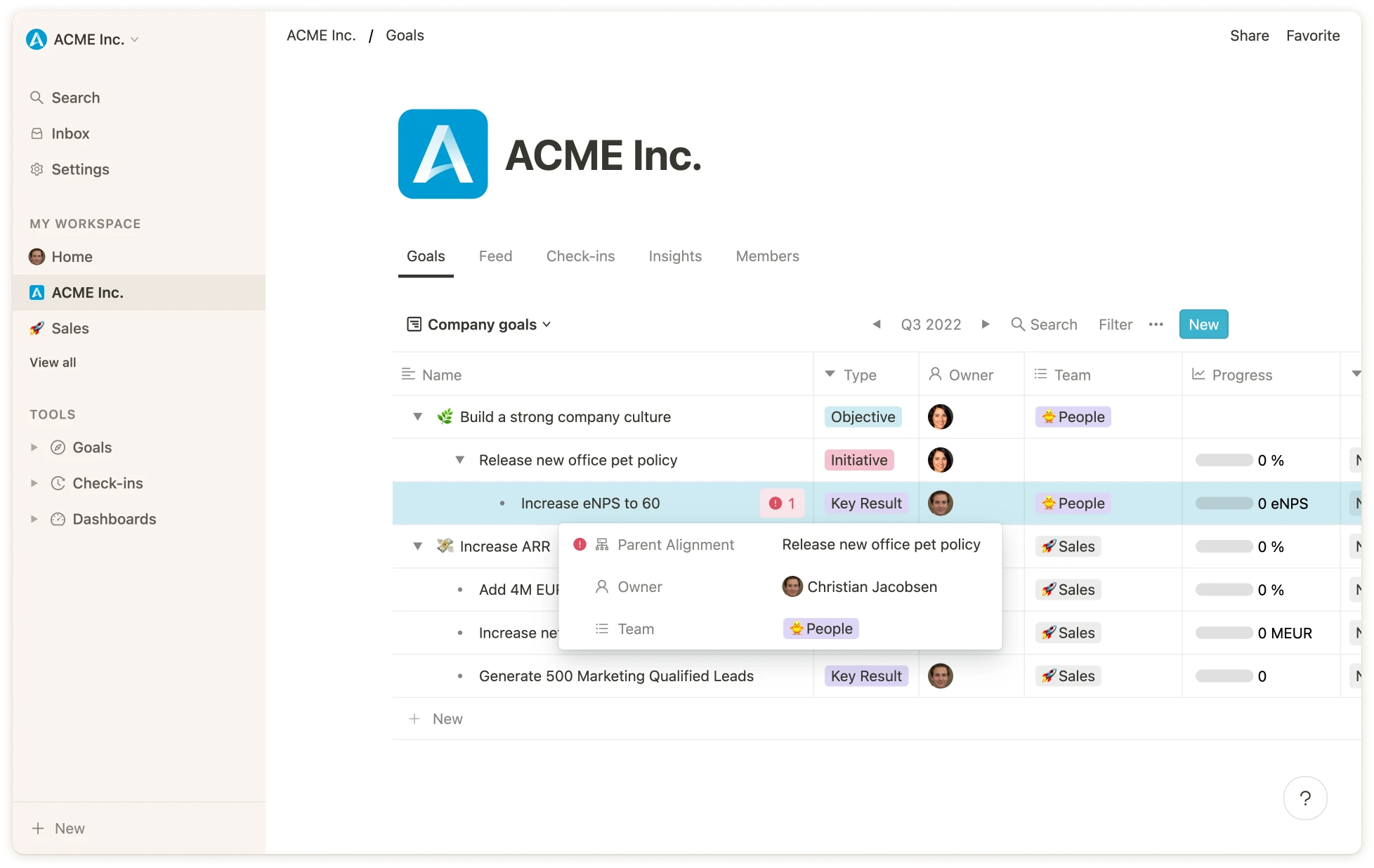
Goals that violate one or more of the rules are highlighted in the cascade view. On the detail pages of the goals in question, the properties that violate the rules are also highlighted.
Existing or newly created goals that do not follow this rule are now marked with warnings.
💡
**Note**: Required fields are only available in Mooncamp's `Pro` or `Enterprise Plan`. [Contact our sales team to learn more](mailto:sales@mooncamp.com)
### Fixing issues
Goals that violate one or more of the rules are highlighted in the cascade view. On the detail pages of the goals in question, the properties that violate the rules are also highlighted.
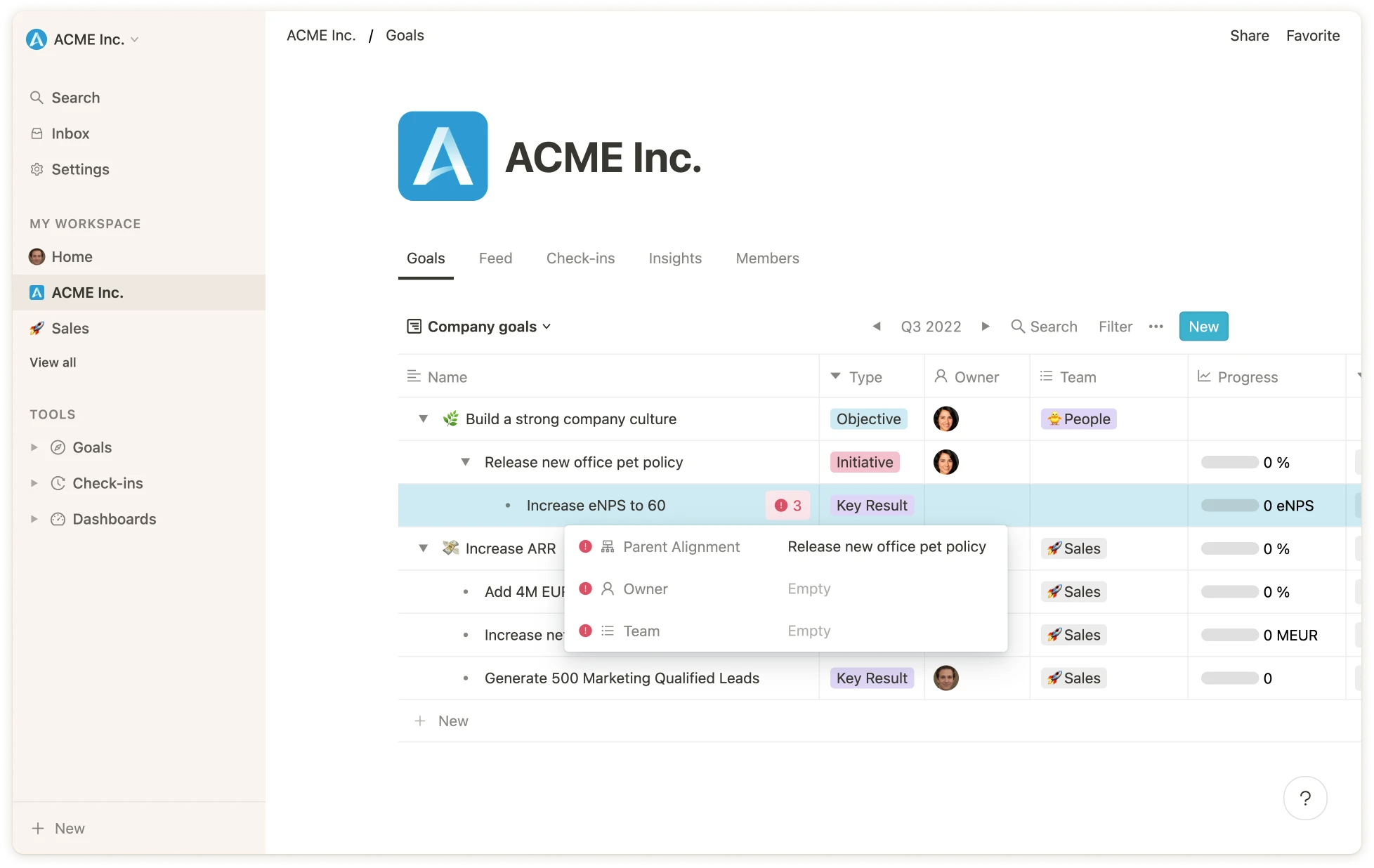
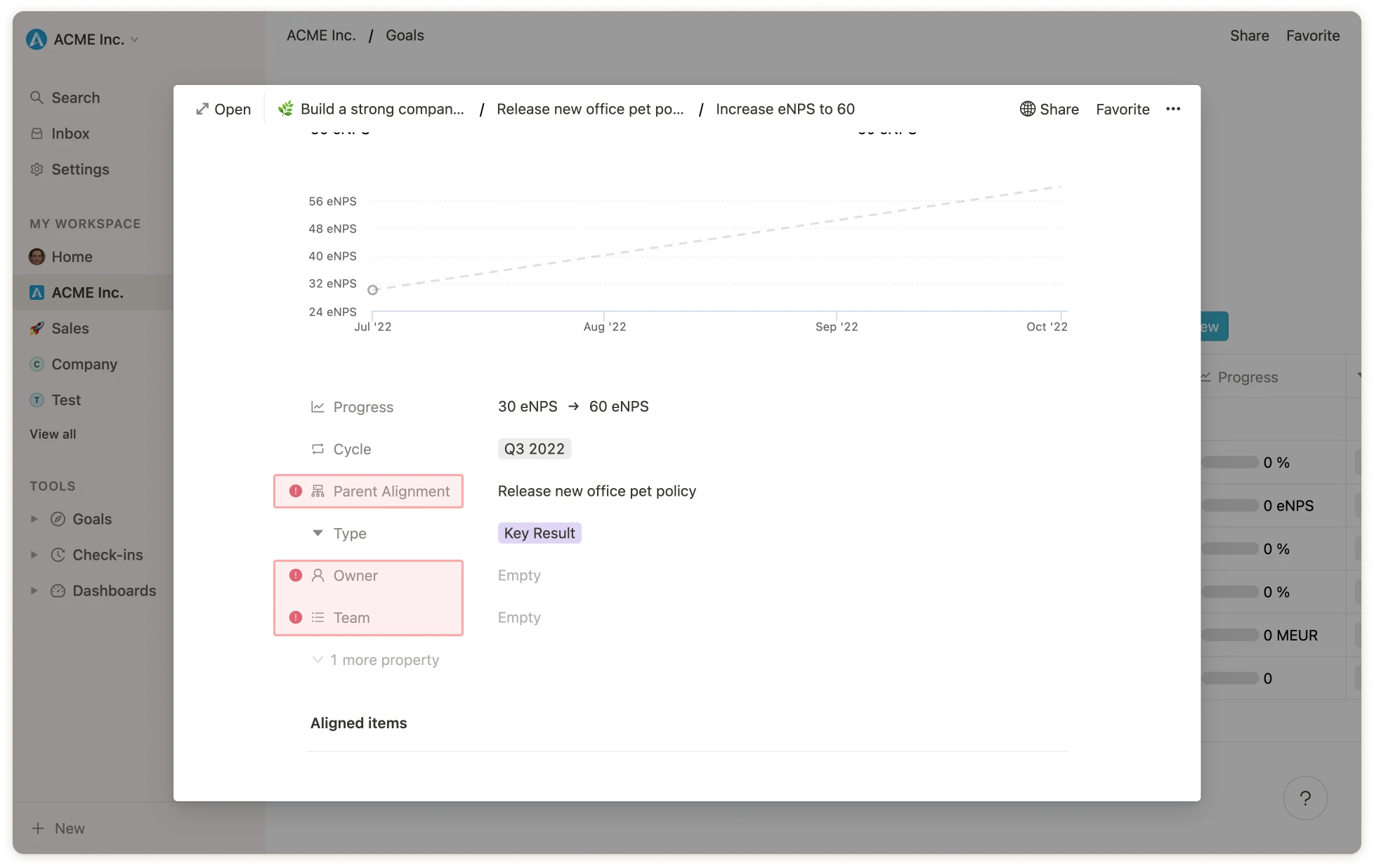 To quickly fix the issues without having to go to the detail page of each goal, you can simply click on the red button on the cascade view and adjust the affected fields.