

Export formats
Export a document-style file, ideal for sharing polished reports or printing.
PNG
Export an image file, perfect for embedding in presentations or messages.
CSV
Export a spreadsheet file with structured goal data for further analysis in tools like Excel or Google Sheets.
Where you can export
Not every format is available on every page. The table below shows which export formats are supported in each area of Mooncamp.How to export
Exporting from the page menu
Most exports are triggered from the... menu in the top right corner of the page.
1
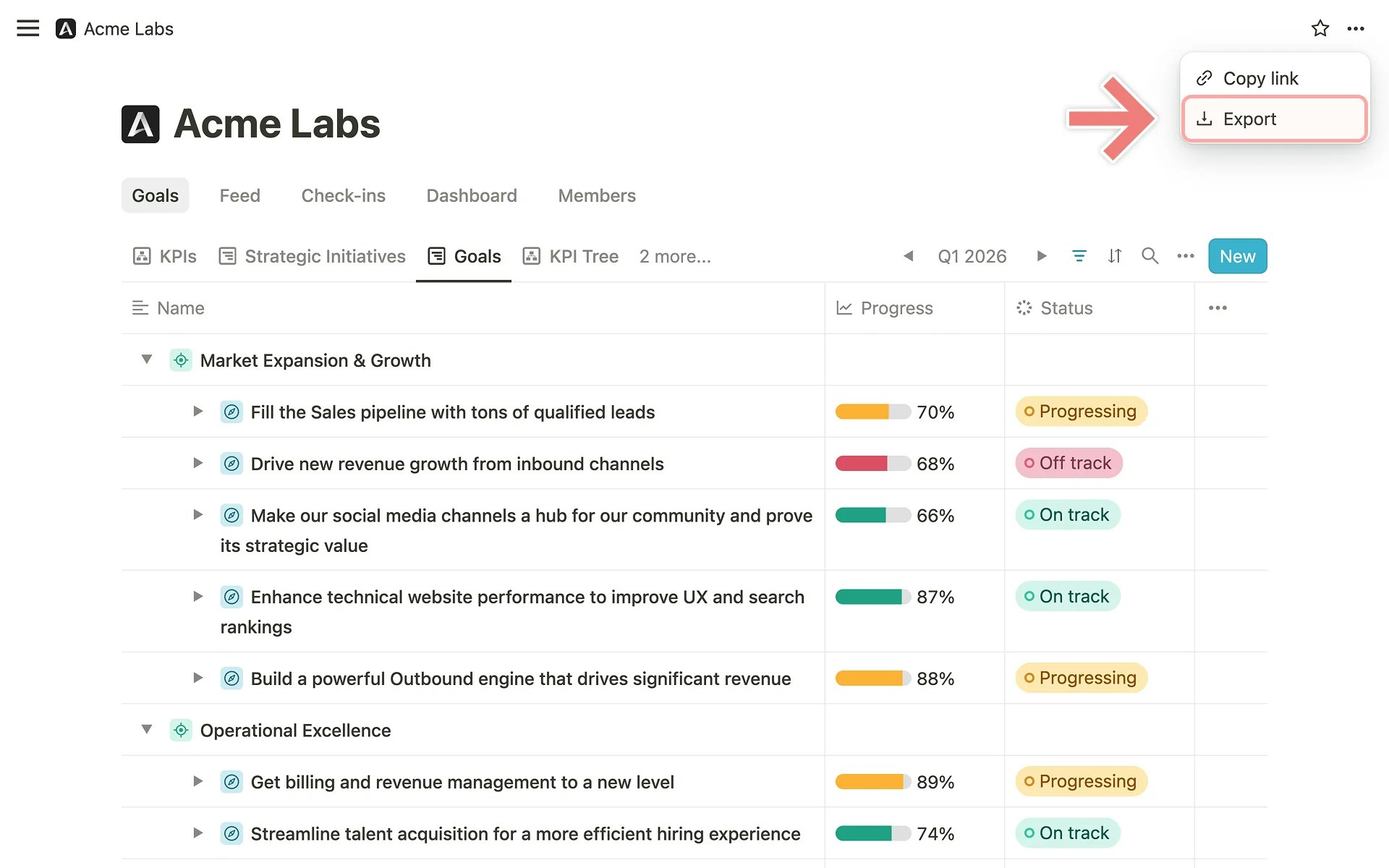
Open the export menu
Navigate to the page you want to export. Click the
... button in the top right corner and select Export.2
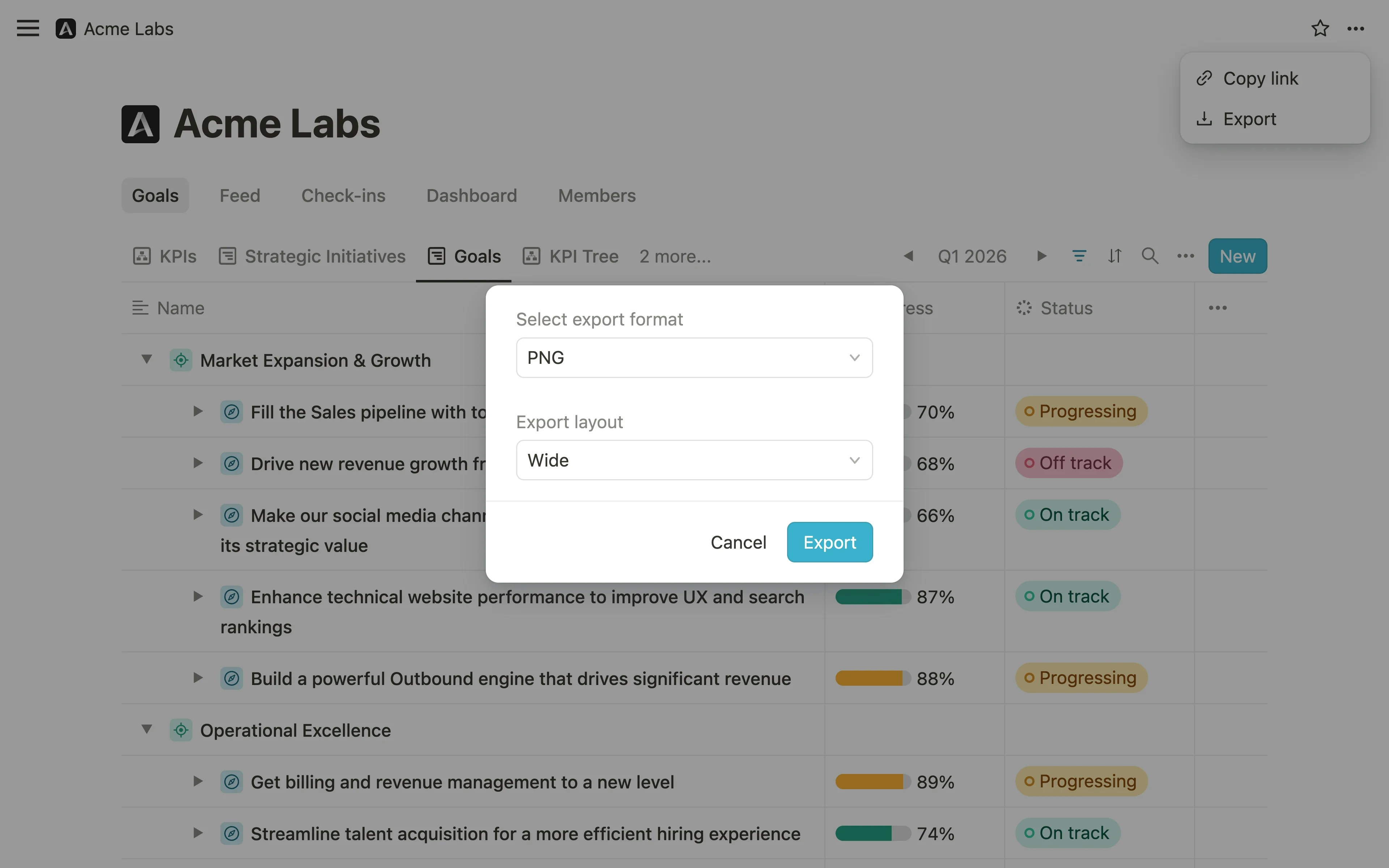
Select your export format
In the dialog that appears, open the Select export format dropdown and choose PNG, PDF, or CSV.
3
Choose your export layout (PDF and PNG only)
When you select PDF or PNG, a second dropdown labeled Export layout appears. Choose the width that best fits your needs:
- Narrow (A4) — suitable for printing or documents
- Standard — a balanced default for most pages
- Wide — for pages with more columns or detail
- Extra wide — for maximum content width
4
Download your file
Click Export to generate and download the file.
... menu.
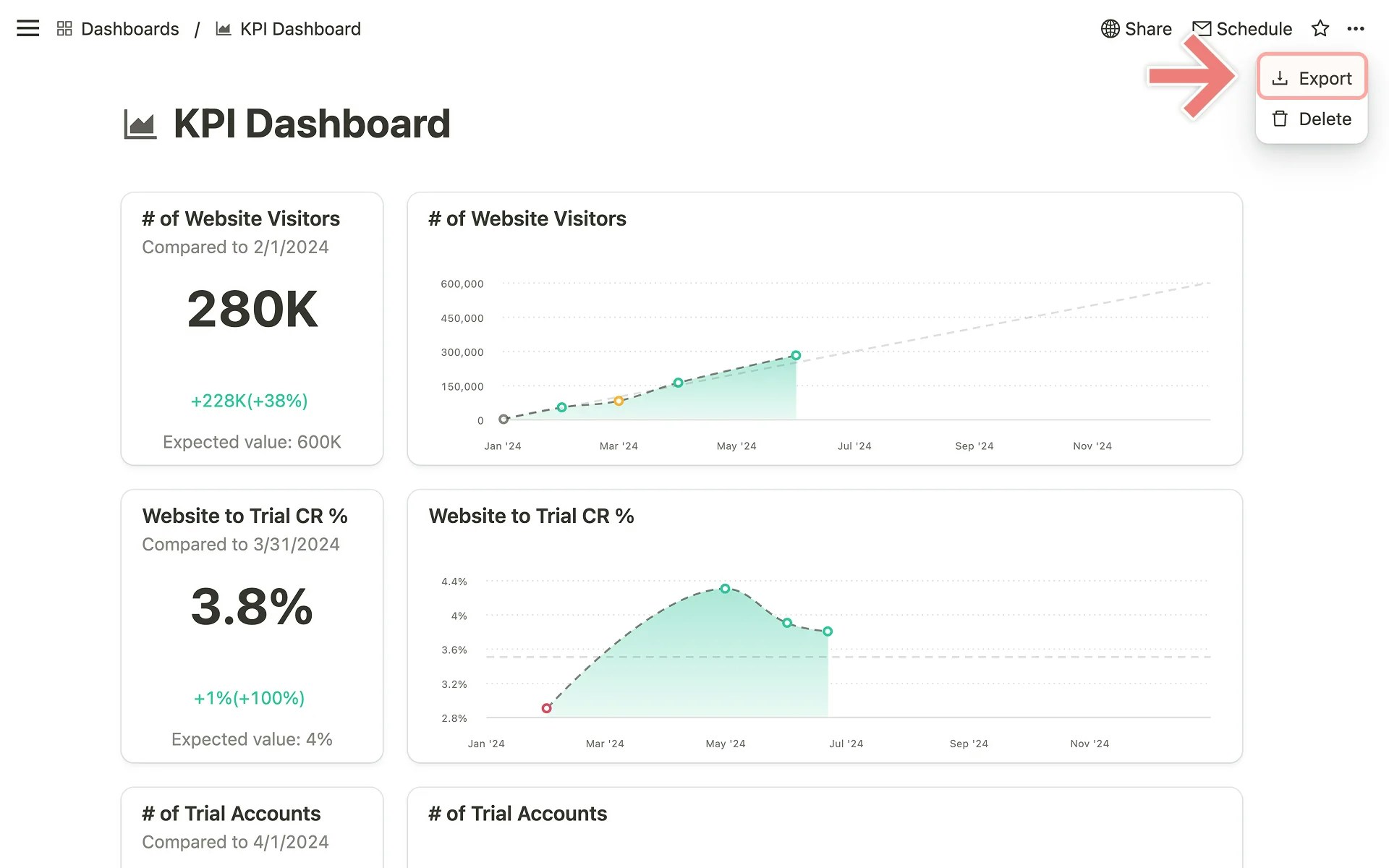
Exporting a dashboard goal-list card as CSV
Goal-list cards on dashboards can be exported individually as CSV files from within the card itself.1
Open the card menu
On the dashboard, find the goal-list card you want to export. Click the drag handle icon in the top right corner of the card to open its context menu.
2
Select Export
Click
Export from the context menu. The CSV file will download automatically.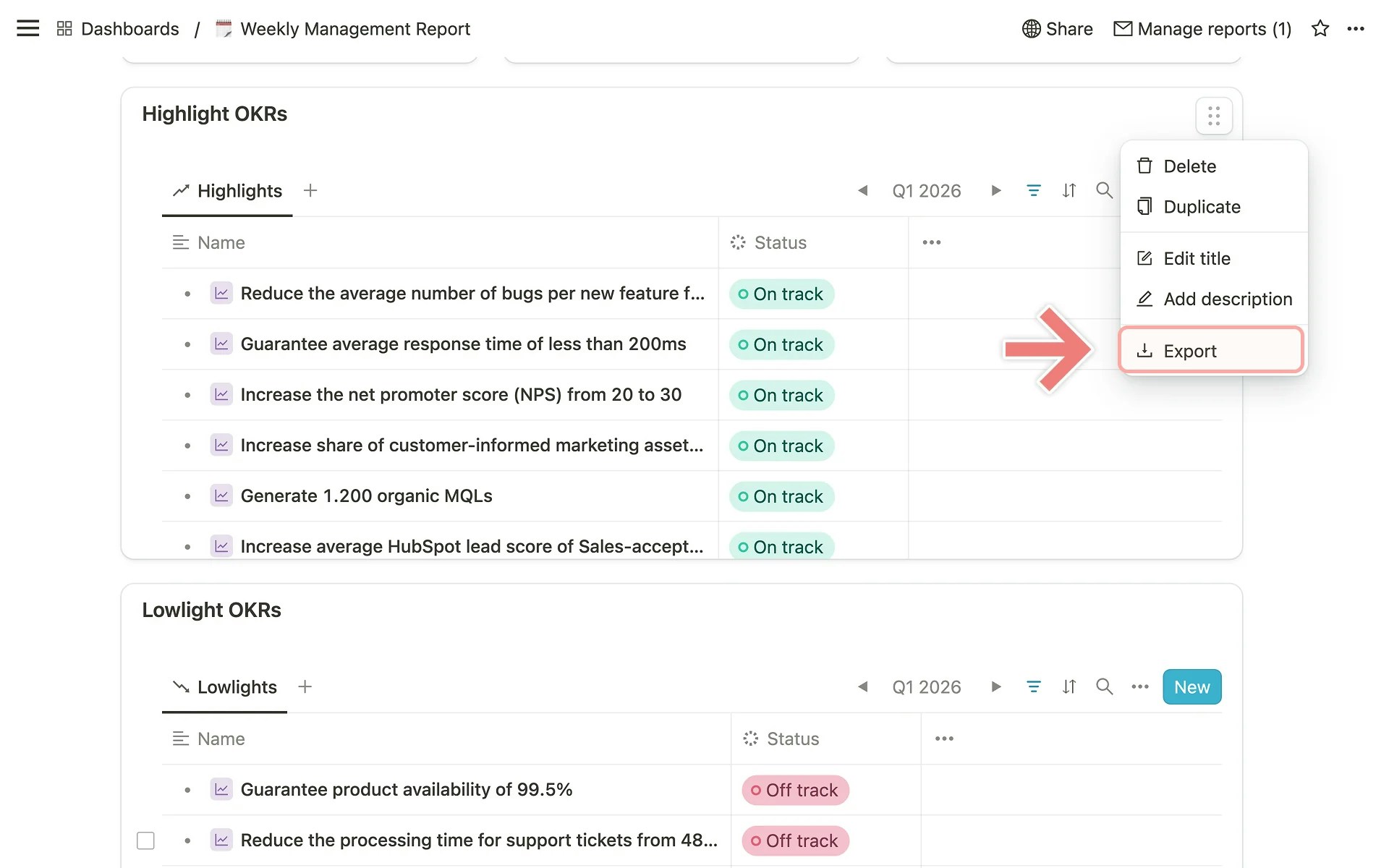
Exporting with bulk select
You can also export a selection of goals using bulk select in any cascade or goal-list view.1
Select goals
In a cascade or goal-list view, select up to 10 goals using the checkboxes.
2
Export from the bulk actions bar
In the bulk actions bar that appears, click Export and follow the same format and layout selection as described above.
Tips
- Apply filters first. Before exporting, use views and filters to narrow down the data to exactly what you need.
- Choose the right layout. For documents intended for printing, Narrow (A4) works best. For screen sharing or presentations, consider Wide or Extra wide.
- Use CSV for analysis. If you need to work with goal data in tools like Excel or Google Sheets, CSV is the right format.